POS & sales
Offline POS: Why Your Drug Shop Needs It
Power cuts and dropped data are daily life for Ugandan drug shops. What an offline point of sale really means, how syncing should work, and what to ask vendors.
By the SmartPharm team · · 5 min read
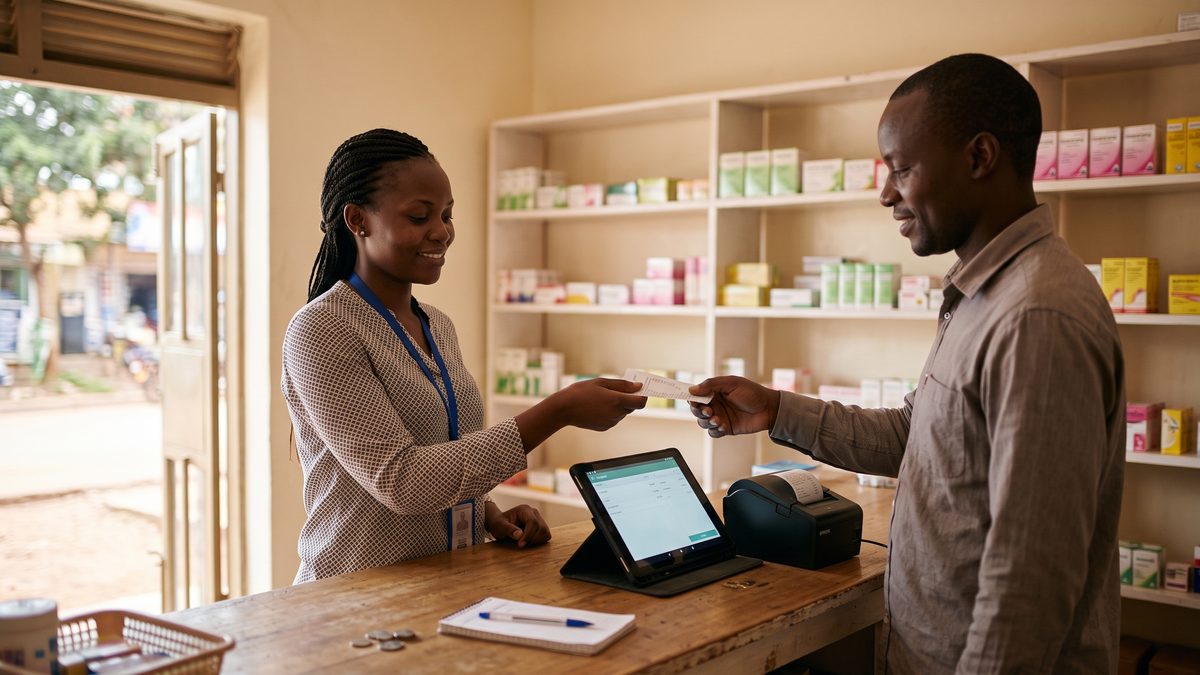
It is Saturday afternoon, the queue is four deep, and the power goes. In a shop with a paper book, nothing changes: you keep writing. In a shop with the wrong software, the till turns into a glossy tablet that cannot sell a sachet of ORS.
That moment is why “does it work offline” is the first question to ask of any pharmacy point of sale in Uganda. This guide explains what offline actually means, because the phrase is used loosely, and what a proper answer looks like.
The three things that go wrong
Any drug shop in Uganda deals with all three of these, and often on the same day:
- Power cuts. When the power goes, the router goes with it. Your fibre or wi-fi is gone until the lights come back or the generator starts.
- Mobile data that drops. A tablet on a data bundle is not a backup if the signal is weak inside the shop, or if the bundle runs out on the busiest day of the month.
- The cloud being slow. Even with a connection, a till that waits for a server on every tap feels broken when the line is congested. Staff start writing sales on paper “for now,” and “for now” becomes the system.
Software described as “cloud-based” with no further detail usually fails all three. It runs in a browser tab that needs the server for every action.
What offline really means
A genuinely offline till does four things:
It boots without a connection. Open the app on the tablet and the product list, prices and stock are already there, cached on the device. If the app needs to download anything before you can sell, it is not offline.
It records the sale on the device. The sale, its items, the batch each item came from, and the payment are saved locally the instant you finish. The receipt prints from the tablet over USB, so the printer does not need the network either.
It queues sales and sends them later. When the connection returns, every queued sale goes up to the server. This must happen without anyone pressing a button, and each sale must be sent exactly once. A till that sends a sale twice after a flaky reconnection gives you double revenue in the reports and half the stock on the shelf that the system thinks you have.
It keeps working for long enough. An outage can last minutes or a day. Ask how long the till can sell with no connection at all. SmartPharm’s till keeps selling for 48 hours disconnected, which covers any realistic outage with room to spare.
The hard part: receipt numbers and shared stock
Two details separate software that has genuinely solved offline from software that has bolted it on.
Receipt numbers. Your receipts should run in an unbroken sequence, because gaps look like missing sales to an auditor and to you. But an offline till cannot know what number the other till used. The right design gives each sale a placeholder while offline and fills in the real, sequential receipt number the moment it syncs, so the printed receipt and the recorded one agree, and the sequence stays clean.
Two tills, one last box. If two tills in the same branch are both offline and both sell the last box of the same batch, somebody has oversold. Good software notices this at sync, records what actually happened, and flags the batch for a count rather than silently pretending stock is now minus one. Ask the vendor how they handle it. A vague answer means they have not met the problem yet.
Offline is not the same as “no cloud”
Some owners hear “offline” and picture software installed on one computer, with the data trapped inside it. That is the old way, and it has its own failure: the computer dies, or gets stolen, and the pharmacy’s history dies with it.
The design you want is both. The till runs on the device, so it sells through any outage, and everything syncs to a cloud account, so the owner can see today’s sales from a phone in Jinja, the second branch sees the same product list, and a stolen tablet loses nothing but the tablet.
What this looks like at the counter
A day with a properly offline till is boring, which is the point. The power goes at 4pm. The tablet is on its battery, so nothing changes on screen. The queue keeps moving; each sale prints its receipt from the USB printer, which is on the small UPS the printer shares with the router. A small banner says “offline, 3 sales queued.” The power returns at 5:20, the banner changes to “synced,” and the owner, at home, sees the afternoon’s sales appear in the report a few seconds later.
No staff member did anything different. Nothing was written on paper. Nothing was entered twice.
What to ask a vendor
Take these four questions to any demo:
- Switch off the wi-fi and make a sale. Did it work, and did the receipt print?
- How long can the till run with no connection?
- After reconnecting, show me the sale in the report. Is there exactly one?
- What happens if two tills oversell the same batch while offline?
A vendor built for Uganda answers all four without hesitation. Software translated from a place with reliable power struggles with the first one.
Offline selling is one of the things we cover when comparing products in how to choose pharmacy management software in Uganda. If you only test one thing, test this: pull the plug and try to sell. It is the fairest test there is, because your customers will run it for you every week.